
This site is part of an affiliate sales network and may earn compensation when a customer clicks on a link, when an application is approved, or when an account is opened. This relationship may impact how and where links appear on this site. This site does not include all financial companies or all available financial offers. Zachary Abel is also a Senior Advisor to Bilt Rewards. Terms apply to American Express benefits and offers. Enrollment may be required for select American Express benefits and offers. Visit americanexpress.com to learn more Opinions, reviews, analyses & recommendations are the author’s alone, and have not been reviewed, endorsed or approved by any of these entities.
Emirates has a different system set up for cancelling award bookings than you might experience with other carriers. Since I just went through the process and remembered to screencap it, I thought it may help expedite the process if you’re facing it.
Step: 1 Go to Manage

Step 2: Change your Booking
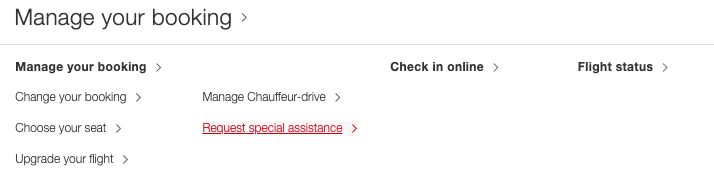
Step 3: Manage your booking
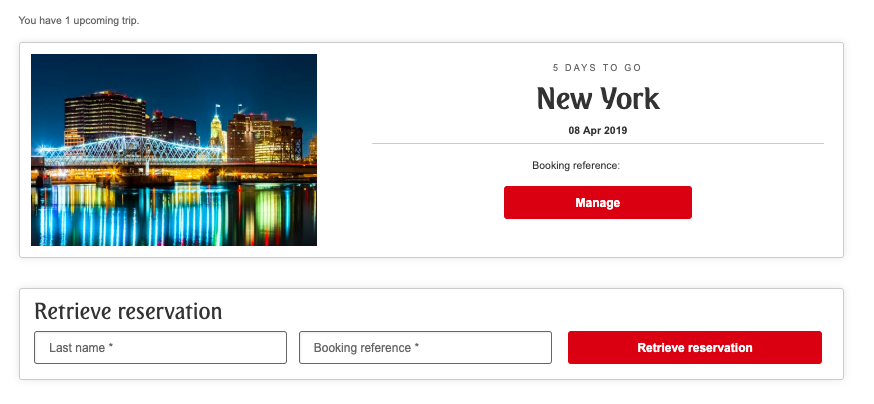
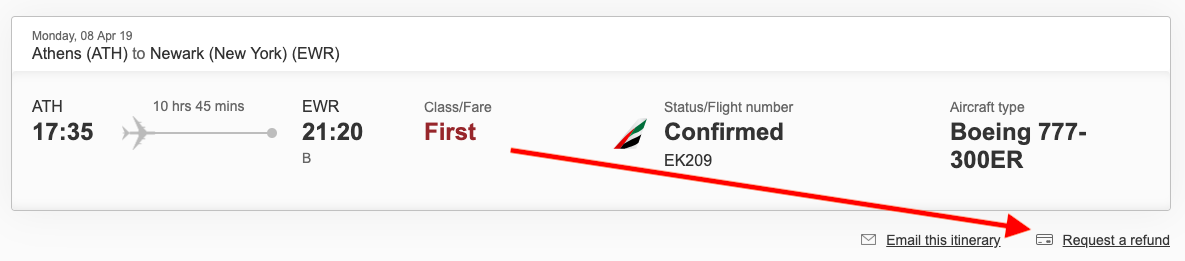
Step 4: Request a Refund
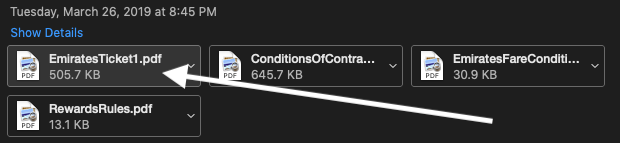
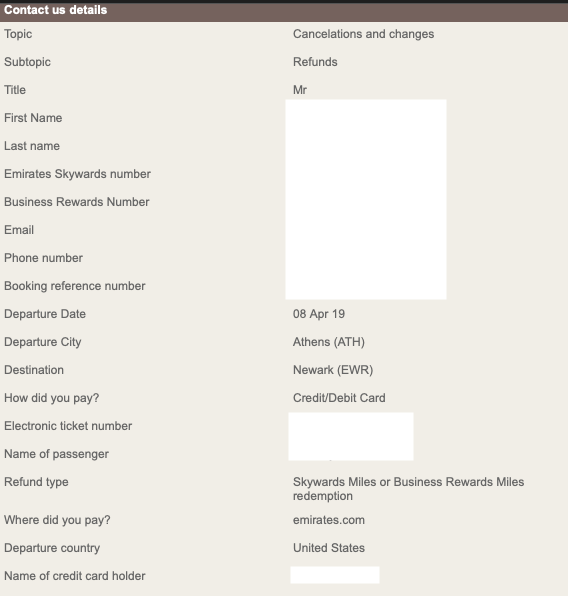
Step 5: Fill out the form that follows, but you’ll need your e-ticket number, go to your original email and look at attachments
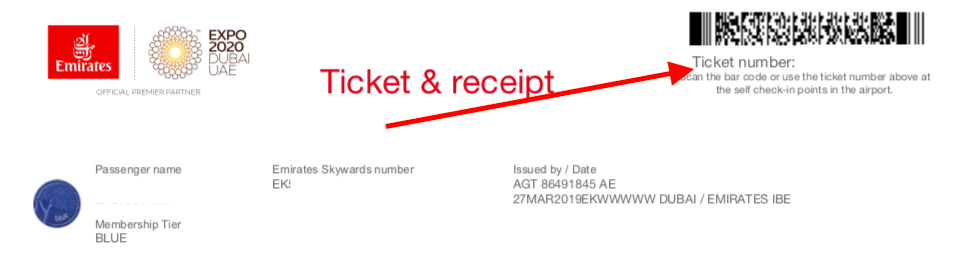
The E-ticket number is located in the upper right hand corner
Step 6: Submit the form. I received the following confirmation and my miles were refunded within a couple hours.
*feature image courtesy of Emirates
Opinions, reviews, analyses & recommendations are the author’s alone, and have not been reviewed, endorsed or approved by any of these entities.
The responses below are not provided or commissioned by the bank advertiser. Responses have not been reviewed, approved, or otherwise endorsed by the bank advertiser. It is not the bank advertiser's responsibility to ensure all posts and/or questions are answered.