

This site is part of an affiliate sales network and may earn compensation when a customer clicks on a link, when an application is approved, or when an account is opened. This relationship may impact how and where links appear on this site. This site does not include all financial companies or all available financial offers. Zachary Abel is also a Senior Advisor to Bilt Rewards. Terms apply to American Express benefits and offers. Enrollment may be required for select American Express benefits and offers. Visit americanexpress.com to learn more Opinions, reviews, analyses & recommendations are the author’s alone, and have not been reviewed, endorsed or approved by any of these entities.
How to combine Chase Ultimate Rewards between accounts
I thought it’d be advantageous to show you how you can move points between accounts…it’s the same whether you move from a Chase Freedom Flex® or Chase Freedom Unlimited® to a Chase Sapphire Preferred®, or Chase Sapphire Reserve® as it is from an Chase Ink Business Unlimited® Chase Ink Business Cash® or Chase Sapphire Reserve for Business(SM) to a Chase Ink Business Preferred® as I show down below.
I’ve noticed that the option to combine points has been removed from any card that I have, my wife has, or my parents have that earns flexible Ultimate Rewards, and they are only populating on cashback cards. Weird.
Hope this helps!
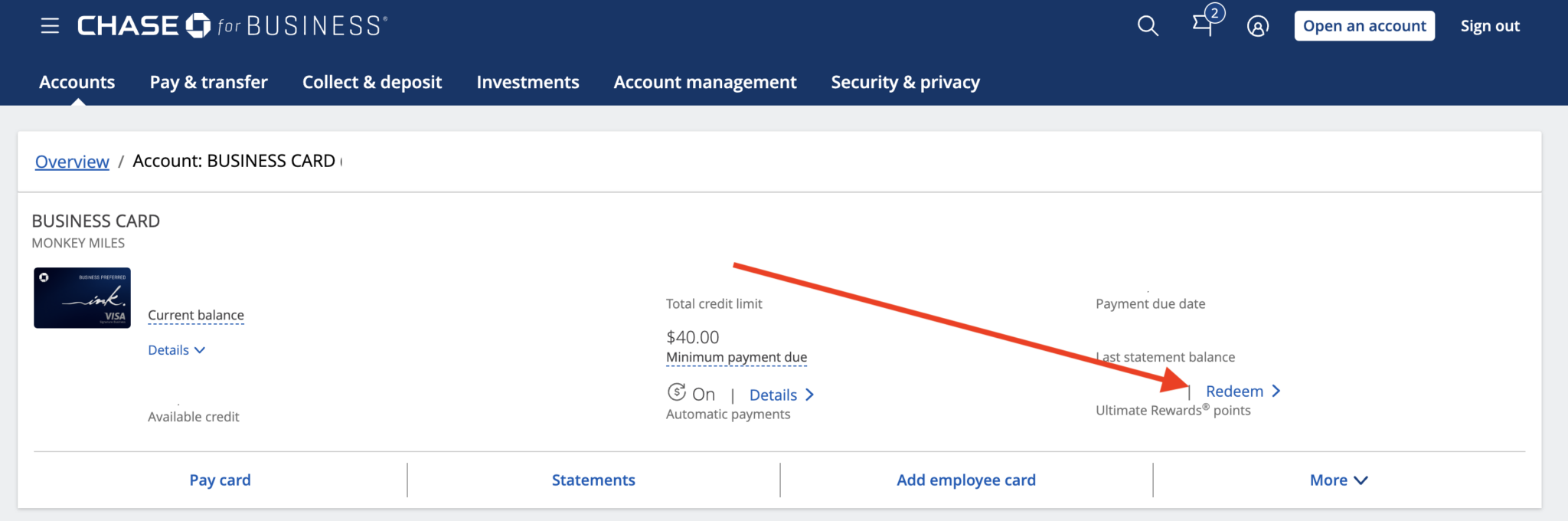
Step 1: Log in, select a card, and Go to “Redeem Ultimate Rewards”
This can also be done by going to www.ultimaterewards.com and logging in, but this is what it would look like when you log in to Chase.com. If you go ultimaterewards.com you’ll skip this step.
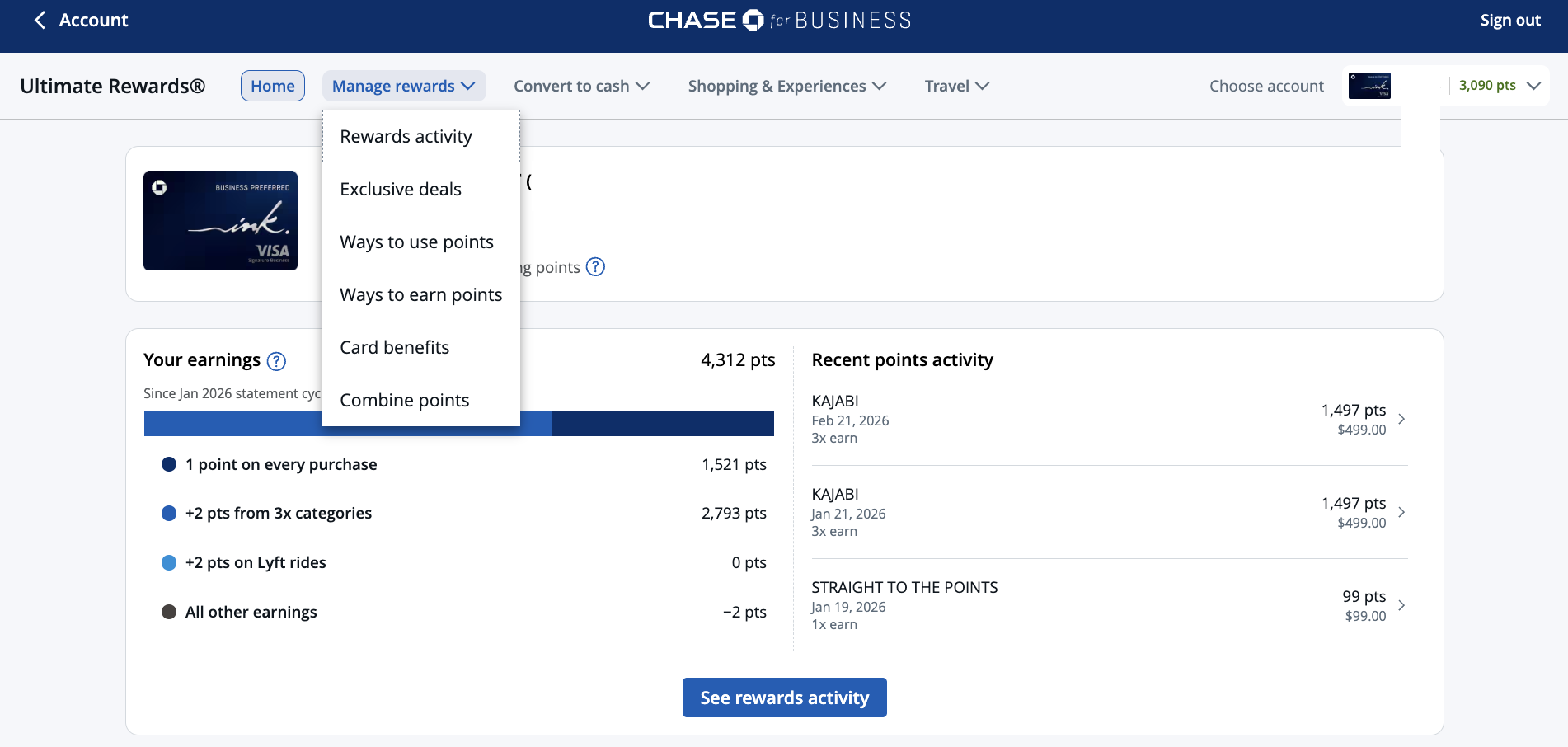
Step: 3: Click Manage Rewards
Once you’re inside your Ultimate Rewards account, you’ll see the following screen. Click the Manage Rewards drop down menu.
Step 4: Select the accounts to transfer from and to:

Step 5: How many points do you want to transfer
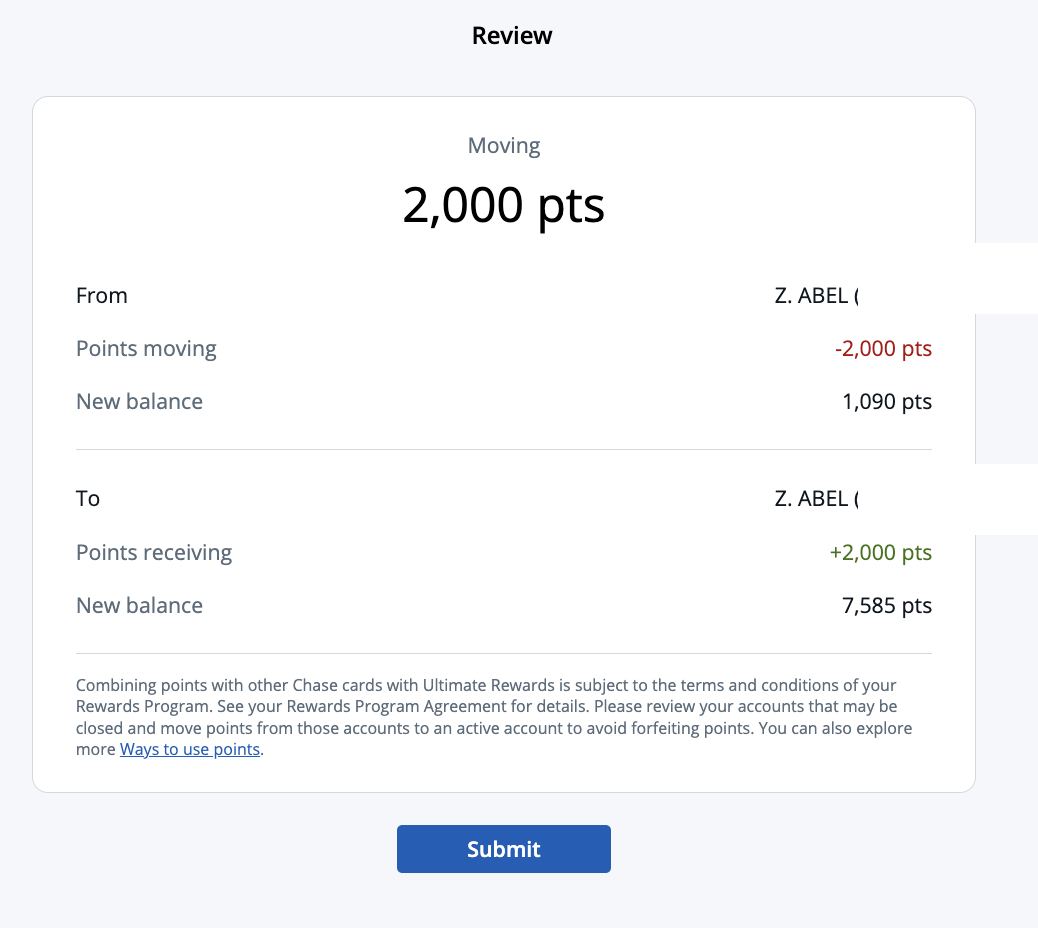
Step 6: And confirmation

Hope this helps!
Opinions, reviews, analyses & recommendations are the author’s alone, and have not been reviewed, endorsed or approved by any of these entities.
The responses below are not provided or commissioned by the bank advertiser. Responses have not been reviewed, approved, or otherwise endorsed by the bank advertiser. It is not the bank advertiser's responsibility to ensure all posts and/or questions are answered.